Overview
Participant’s Overview
The first page of a hackathon. It shows:
Your hackathon: its dates and number of participants
What you can do: links to everything that is open now
Your team: your team, or how to find one
It might also show:
The current phase: if the hackathon has phases
Projects: once projects are approved
About this hackathon: if the owners wrote a description
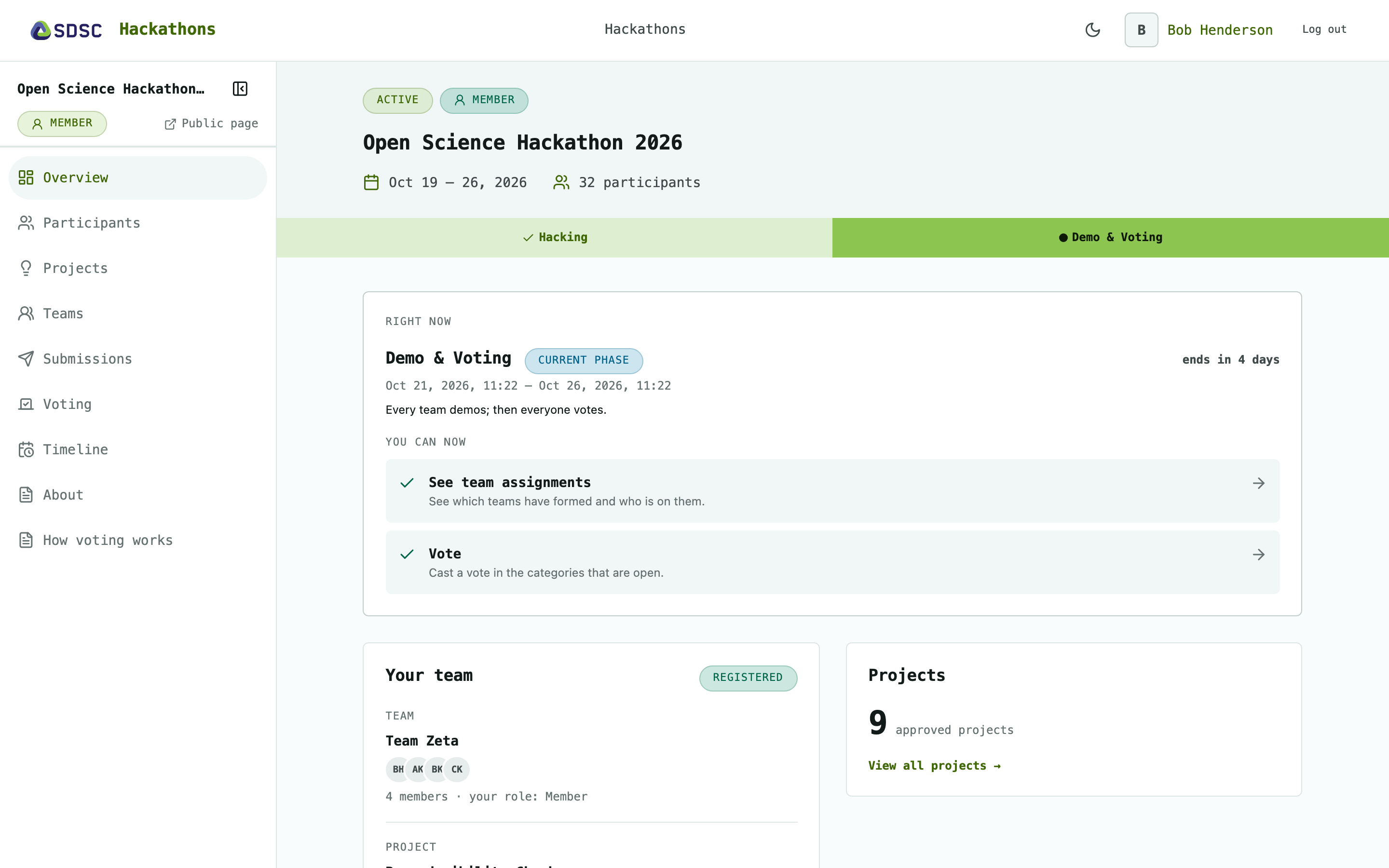
Your hackathon
Start and end date, and how many participants it has.
What you can do
One link per activity the owners have opened: propose projects, choose preferred projects, see teams, submit work, vote, see results.
“Nothing is open right now” when the owners have opened nothing.
On the waitlist the links stay closed until an owner approves you.
The current phase
Name, dates, countdown and description of the phase that is running.
Phases are for orientation only, see Timeline.
Your team
Your team’s members, its project and whether it has handed in work.
Click Submit your work to go to Submissions while submitting is open.
Not on a team yet: click Browse the projects to go to Projects.
Projects
The number of approved projects, per track if there are tracks.
Click View all to go to Projects.
About this hackathon
The hackathon’s description.